
具体描述
Book Description
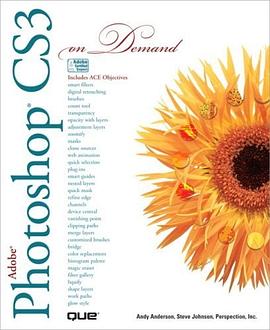
Adobe® Photoshop® CS3
FOR THOSE WHO WOULD RATHER BE SHOWN HOW THAN TOLD HOW
SEE HOW TO
• Browse, organize, and process files using Adobe Bridge and Version Cue
• Use automatic layer alignment and blending to work with objects
• Use live filters to view and modify the results of opening files
• Use more precise color correction to enhance a photo
• Easily convert images to black and white
• Use image trickery to change or enhance an image
• Create eye catching bevels and special effects
• Transform plain text into a show-stopping image
• Create Web animation sequences the easy way
• Use tool presets to construct the right tool for the right job
• Test content on different target devices using Adobe Device Central
On the Web
This book uses real world examples to give you a context in which to perform a task. This book also includes workshops to help you put together individual tasks into projects. The Photoshop example files that you need for project tasks are available at www.perspection.com
Perspection has written and produced books on a variety of computer software, including Adobe Flash CS3 Professional, Adobe Photoshop CS3 and CS2, Adobe Dreamweaver CS3, Microsoft Office 2007 and 2003, Microsoft Windows Vista and XP, Microsoft Expression Web, and Apple Mac OS X Panther. Perspection was founded in 1991, and is committed to providing information and training to help people use software more effectively. Perspection has written more than 80 computer books, and sold more than 5 million copies.
Includes ACE Courseware Objectives!
This courseware meets the objectives for the Adobe Certified Expert (ACE) Program. Upon completion of this courseware you may be prepared to take an exam for ACE qualification. To learn more about becoming an Adobe Certified Expert, visit www.adobe.com/support/certification/ace.html
Introduction
1 Getting Started with Photoshop CS3
2 Understanding Navigation and Measurement Systems
3 Customizing the Way You Work
4 Mastering the Art of Selection
5 Working with Layers
6 Working with the History Palette
7 Working with Adjustment Layers, Filters, and Tools
8 Understanding Colors and Channels
9 Using the Paint, Shape Drawing, and Eraser Tools
10 Creating Layer and Channel Masks
11 Using the Paths Palette
12 Working with Layer Styles
13 Getting Creative with Type
14 Manipulating Images with Filters
15 Automating Your Work with Actions
16 Controlling Image Output
17 Working with Automate Commands
18 Managing Color from Monitor to Print
19 Designing for the Web and Devices
20 Extending Photoshop CS3
21 Working Together with Adobe Programs
Workshops: Putting It All Together
New Features
Adobe Certified Expert
Index
作者简介
About the Author
Andy Anderson is a graphics designer and illustrator who has worked with Photoshop since it was released. A university professor, Andy is a sought-after lecturer in the U.S., Canada, and Europe. The remainder of his time is split between writing graphics and fiction books, and developing graphics, animations, and resource materials for various corporations and seminar companies. His clients include designers and trainers from the U.S. Government, Boeing, Disneyland, and other Fortune 500 companies.
Steve Johnson has written more than 45 books on a variety of computer software, including Adobe Photoshop CS2, Microsoft Office 2007 and 2003, Microsoft Windows Vista and XP, Apple Mac OS X Panther, Adobe Flash CS3, Macromedia Flash MX 2004 and 8, and Macromedia Director MX 2004. In 1991, after working for Apple Computer and Microsoft, Steve founded Perspection, Inc., which writes and produces software training. When he is not staying up late writing, he enjoys playing golf, gardening, and spending time with his wife, Holly, and three children, JP, Brett, and Hannah. When time permits, he likes to travel to such places as New Hampshire in October, and Hawaii. Steve and his family live in Pleasanton, California, but can
also be found visiting family all over the western United States.
目录信息
读后感
用户评价
作为一名业余的数码绘画爱好者,我对Photoshop中那些关于笔刷引擎的深度挖掘抱有极高的期待。我深信,CS3的笔刷自定义功能已经足够强大,足以模拟出水彩的晕染、油画的厚涂,乃至铅笔的细腻笔触。我希望能在这本书中找到关于“动态散点”、“纹理应用”以及“高级传递设置”的精妙组合,这些设置才是区分普通描边和专业级笔触的关键。我甚至期待能看到作者自己设计的一些独特的笔刷文件并分享设置参数。但是,这本书在讲解画笔工具时,给出的示例多集中于基础的硬边、柔边和基本的动态效果,缺乏那种将多个设置项进行“炼金术式”融合的创新性指导。它就像一本详尽的工具说明书,告诉你螺丝刀的尺寸和用法,却没有告诉你如何用这把螺丝刀撬动一个全新的创作维度。对于追求笔触表现力的创作者而言,这本“On Demand”在“创作解放”这一块的供给,明显没有跟上我的需求速度。
从书籍的装帧和排版来看,我不得不承认它是一本制作精良的工具书,纸张厚实,图文并茂,阅读体验尚属上乘。但作为一本旨在提供“即时帮助”的指南,它的知识检索效率其实是打折扣的。当我赶时间想快速回忆起某个滤镜的参数设置或者某个菜单命令的位置时,我更倾向于使用软件内置的帮助文件或者搜索引擎,而不是翻阅这本相对庞大的实体书。我期望的“On Demand”应该是那种能让我迅速定位到“如果你想实现XX效果,请看第YY页,步骤1-5”,而非需要我先理解完整个工具的背景知识再应用。这本书的结构更偏向于逻辑性的知识体系构建,而不是一个“问题-解决方案”的快速索引。它更适合在学习的初期用来建立知识框架,但一旦你进入实战的快节奏阶段,它提供的支持更像是一种“知识库的备份”,而不是一个“实时AI助手”。因此,在“快速响应实际工作需求”这个维度上,这本书的表现未能完全契合它的书名所许下的承诺。
说实话,我买这本厚厚的指南,是希望它能彻底解决我多年来在色彩管理上的一块心病。我一直对ICC配置文件、软打样以及如何在不同显示器和打印机间保持色彩一致性感到头疼欲裂,总觉得自己的作品在输出后总会“跑偏”。我渴望看到的是那种能将复杂的色彩科学分解成易于理解的、一步步操作的流程,最好能有大量的截图和故障排除清单,专门针对CS3环境下的特定问题进行优化。然而,书里关于色彩的部分虽然篇幅不小,却显得有些过于宏观和理论化了。它详尽地介绍了理论框架,但当我在实际操作中遇到一个棘手的色域警告或者一个无法同步的打印配置文件时,翻阅这本书,我发现自己还是得转而求助于网络论坛。它没有提供那种在紧要关头能让人拍案叫绝的、针对性的“疑难杂症快速修复指南”。这本书更像是为那些刚入门的用户打下坚实基础而设计的,对于一个已经能熟练操作,只是想在特定领域实现“像素级完美”的进阶用户来说,它提供的“按需服务”力度稍显不足。
我之所以选择这本厚砖头,是冲着它“On Demand”这个名头去的,我需要的是那种能让我迅速掌握复杂选区和蒙版的技巧,以便高效地进行复杂合成工作。精细抠图,尤其是处理毛发、玻璃或半透明物体,一直是我的技术瓶颈,我需要的是那种能让我瞬间掌握“通道抠图”的奥秘,或者如何利用“智能半径”将边缘处理得天衣无缝的捷径。理想中,这本书应该像一个高级定制的软件脚本,当我需要处理一个复杂的“光晕边缘”时,我翻到那一页,立刻就能找到清晰的步骤和逻辑解释。遗憾的是,它对选区工具的讲解,虽然全面,但处理复杂情况时显得有些保守和流程化。它没有带来那种“Aha!”时刻,即让你发现原来有一个更聪明、更省时的方法来完成一个过去需要花费数小时手工描边的任务。它的解决方案是“可行”的,但并非总是“极致高效”的,这与我对“按需”软件指导的理解有所出入。
这本“On Demand”系列的宣传口号听起来就让人眼前一亮,仿佛它能像点播服务一样,随叫随到地解决我在图像处理中遇到的所有难题。然而,当我真正翻开这本书,满怀期待地寻找那些关于CS3最新功能的深入剖析、那些针对专业修图师的效率提升技巧,或者至少是清晰的、循序渐进的实战案例时,我感到的却是一种微妙的落差。它更像是一本内容详实、组织得当的“参考手册”,而非那种能激发创造力、引导你进行颠覆性创新的“按需指导”。比如,我对图层混合模式的各种怪异组合如何影响最终效果特别感兴趣,期待看到一些高级且非传统的应用场景,能让我瞬间领悟到“原来还可以这么玩!”的结果。但这本书在讲解这些核心功能时,虽然准确无误,却总是停留在教科书式的描述上,缺少了那么一丝“魔术师揭秘”的惊喜感。它教会了我“如何做”,但很少告诉我“为什么最佳实践是这样”,更别提那些能让人在竞争中脱颖而出的“秘密武器”了。它是一份可靠的地图,但不是指引我穿越未知迷宫的罗盘。