
具体描述
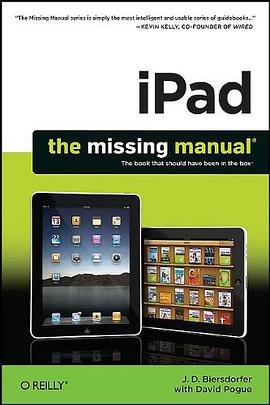
Apple's iPad is the perfect personal media center. It lets you search the Web with WiFi, helps you stay in touch with its built-in email application, and allows you to read books, magazines, and newspapers in full color. You can also play games, listen to music, watch videos, view photos, and create documents, layouts, and slideshows with iPad's iWork suite. With iPad: The Missing Manual , learning how to use this new device is a snap. The clear step-by-step instructions, undocumented shortcuts, workarounds, and lots of practical timesaving advice help you learn each feature and application -- presented with the renowned Missing Manual wit and easy-to-read format. Learn how to shop in the iPad's integrated, custom-designed bookstore Use its full-color, large-screen eBook and ePeriodical reader Create documents, spreadsheets, and presentations with the iWork "lite" productivity suite Use iTunes to organize and manage media files Get connected to the Web with built-in WiFi and the Safari browser Orient yourself with the iPad's GPS and map technologies Locate and download custom-built games Use the iPad's built in email, calendar, and contact applications Run any and all iPhone apps on the iPad View Pictures on Your iPad
By J. D. Biersdorfer
To see the pictures you synced from your computer, tap the Photos icon on the iPad’s Home screen. Then tap the Photos button at the top of the screen to see your pictures in thumbnail view, filling the iPad screen in a grid. If you chose to copy over specific photo albums, tap the name of the album you want to look at. Mac syncers can also tap the Events, Faces, or Places button to see photos sorted in those categories, as page xx explains.
On the thumbnails screen, you can do several things:
Tap a photo thumbnail to see it full-size on the iPad screen.
Double-tap an open photo to magnify it.
Spread and pinch your fingers on-screen (those fancy moves described in Chapter 2) to zoom in and out of a photo. Drag your finger around on-screen to pan through a zoomed-in photo.
Flick your finger horizontally across the screen in either direction to scroll through your pictures at high speeds. You can show off your vacation photos really fast this way (your friends will thank you).
Rotate the iPad to have horizontal photos fill the width of the screen or to have vertical photos fill its height.
With a photo open, tap the iPad’s glass to display a strip of itsy-bitsy thumbnails of all the photos in the current album at the bottom of the screen. Tap or slide to a thumbnail to jump to a particular picture. When you tap the ^ icon in the menu bar, you can set a photo as wallpaper, assign a picture to your iPad’s Contact’s program, send a pic to MobileMe, or start a photo slideshow. To get back to your library, tap the Photos or album-name button at the top of the screen.
Email Photos
If you want to share your photographic joy, you can email one or a bunch of pictures right from the Photos program:
One photo. To email the photo currently on-screen, tap the iPad’s glass to make the photo controls appear, and then tap the ^ icon in the upper-right corner. Tap the Email Photo button. The mail program attaches the photo to a new message, ready for you to address.
Multiple photos. To email a bunch of pictures at once, tap open the album containing the photos. Tap the ^ icon in the top-right corner and then tap the pictures you want to send (blue checkmarks appear in the corner of the thumbnails to show you’ve selected them). Tap the Email button to attach them to a new message. If you have a draft message in progress, tap the Copy button, then switch to the mail program, open your message, and hold down your finger until the Paste button appears. Tap it to paste in the pictures.
Delete Photos
You have two ways to delete photos from your iPad. If you synced photo albums from iTunes, connect the iPad to the computer, open iTunes, hit the Photos tab, and turn off the checkboxes by those albums. Click Apply and then Sync to “unsync,” or remove, those pix from the iPad’s gallery. If you have pictures in your Saved Photos album you want to ditch, you can delete a currently open picture by tapping the T icon and then tapping the Delete Photo button. To delete multiple pictures from the Saved Photos thumbnail view, tap the ^ icon, then tap the unwanted pictures to assign the Blue Checkmarks of Selection. Tap the small red Delete button on the top-left side of the menu bar. There’s a blue Cancel button on the other side of the menu bar if you change your mind.
作者简介
目录信息
读后感
Apple's iPad is the perfect personal media center. It lets you search the Web with WiFi, helps you stay in touch with its built-in email application, and allows you to read books, magazines, and newspapers in full color. You can also play games, listen to m...
Apple's iPad is the perfect personal media center. It lets you search the Web with WiFi, helps you stay in touch with its built-in email application, and allows you to read books, magazines, and newspapers in full color. You can also play games, listen to m...
Apple's iPad is the perfect personal media center. It lets you search the Web with WiFi, helps you stay in touch with its built-in email application, and allows you to read books, magazines, and newspapers in full color. You can also play games, listen to m...
Apple's iPad is the perfect personal media center. It lets you search the Web with WiFi, helps you stay in touch with its built-in email application, and allows you to read books, magazines, and newspapers in full color. You can also play games, listen to m...
Apple's iPad is the perfect personal media center. It lets you search the Web with WiFi, helps you stay in touch with its built-in email application, and allows you to read books, magazines, and newspapers in full color. You can also play games, listen to m...
用户评价
读这本书,我体验到了一种“顿悟”的快感。很多时候,我们拥有某种工具,但却不知道如何最大限度地发挥它的潜力。这本书就像一个“解锁”的钥匙,将iPad隐藏的强大功能和无限可能一一展现在我面前。它不像一本操作手册那样枯燥,而是充满了对“人”与“科技”关系的深刻思考。书中的案例都非常真实,充满了人情味,让我感觉作者就像我的老朋友一样,娓娓道来。我特别喜欢书中关于“创造力”的部分,它打破了我对创造力只属于少数“艺术家”的刻板印象,而是强调了每个人都可以通过学习和实践,激发自己的创造力。书中展示了如何利用iPad进行音乐创作、文字编辑、甚至是简单的编程,这些都让我大开眼界,意识到原来自己也可以成为一个“创造者”。此外,它对“连接”的阐述也让我受益匪浅。在信息爆炸的时代,如何有效地连接信息,如何与他人进行有意义的互动,这本书提供了一些非常实用的思路和方法。它让我看到,iPad不仅仅是一个独立的设备,更是连接世界、连接人与人之间的一座桥梁。读完之后,我迫不及待地想要去尝试书中的各种方法,去探索iPad在我生活中更多的可能性,让它真正成为我生活和工作中不可或缺的得力助手。
读完这本书,我最大的感受就是,它彻底颠覆了我过去对于“工具”的认知。一直以来,我总习惯性地将iPad这类电子设备视为纯粹的工具,一个处理信息、浏览网页、偶尔看看视频的载体。但这本书让我看到了它更深层次的可能性,一种与我生活深度融合、甚至能够重塑生活方式的潜力。它不仅仅是屏幕上的触控,更是思维的延伸,是创造力的催化剂。书里通过大量生动的案例,展示了不同职业、不同年龄段的人如何利用iPad完成以往只能在电脑上完成的任务,甚至解锁了全新的创作和学习模式。比如,一位插画师如何利用iPad的触控笔和绘画应用,随时随地捕捉灵感,完成复杂的数字绘画;一位学生如何通过iPad上的教育应用,以互动、游戏化的方式学习知识,极大地提升了学习效率和兴趣;甚至还有一些创业者,如何利用iPad构建起一个灵活高效的工作流程,实现了“轻办公”的理想状态。最令我印象深刻的是,书中并没有枯燥的技术讲解,而是将重点放在了“如何使用”以及“使用它能带来什么改变”上。它不是一本教你如何成为技术专家的书,而是一本引导你如何更好地利用手中工具,去丰富和优化自己生活体验的书。这种以人为本的视角,让我觉得非常亲切,也更容易将书中的理念落地到自己的实际生活中。我开始重新审视自己的日常习惯,思考iPad还能在哪些方面帮助我更高效、更富有创造力地工作和学习,甚至是在休闲娱乐中带来更深层次的享受。这本书就像一扇窗,让我看到了iPad更广阔的天地,也激发了我去探索和实践这份可能性的热情。
这本书的叙述风格非常独特,它没有采用那种一本正经的学术口吻,而是用一种非常接地气、甚至带点故事性的方式,将iPad的魅力展现得淋漓尽致。我读的时候,常常会心一笑,仿佛看到了自己使用iPad的影子,又或是发现了自己过去从未察觉到的新大陆。书中的观点非常具有启发性,它让我开始关注iPad的“赋能”作用,而不是仅仅停留在“功能”层面。它告诉我,iPad不仅仅是硬件,更是思维的载体,是实现个人价值的平台。我尤其欣赏书中对于“个性化”的强调。它鼓励读者根据自己的需求和喜好,去定制属于自己的iPad使用体验,去发掘最适合自己的应用和工作流程。这种以用户为中心的理念,让我感觉非常舒服,也让我更有信心去探索和尝试。书中还探讨了iPad在“沉浸式体验”方面的独特优势,比如在阅读、观影、游戏等方面,它能够提供一种更加身临其境的感受,这对于提升生活品质和精神享受有着重要的意义。总而言之,这本书让我对iPad的认识,从一个简单的“数码产品”提升到了一个“生活伴侣”、“学习工具”、“创作平台”的高度。它不仅仅是一本书,更像是一次关于如何更好地生活、更有效地学习、更有创造力地工作的“启蒙”。我强烈推荐这本书给所有拥有iPad,或者对iPad感兴趣的朋友们。
这本书如同一位睿智的朋友,以一种非常温和且充满洞察力的方式,引导我审视自己的生活习惯和工作模式。它没有空泛的理论说教,而是通过大量贴近生活、贴近工作的真实场景,展现了iPad在日常生活中的种种妙用。我读完之后,感觉像是获得了一张生活优化的蓝图,让我清晰地看到了自己可以改进的方向。书中最让我赞叹的是,它能够将看似普通的功能,赋予更深层次的意义和价值。比如,它不仅仅是教你如何用iPad浏览新闻,而是告诉你如何通过个性化的订阅和信息聚合,构建一个属于自己的知识信息流,从而更有效地获取你真正需要的内容。又比如,它不仅仅是教你如何用iPad拍照,而是引导你去思考如何通过iPad的强大编辑功能,将生活中的点滴瞬间,转化为具有艺术感的作品,从而更好地记录和分享生活。书中对于“效率提升”的解读也让我耳目一新。它不是那种告诉你如何“更快”的技巧,而是教你如何“更聪明”地工作,如何通过合理规划、工具协同,将宝贵的时间和精力投入到真正重要的事情上。这本书让我意识到,iPad并非只是一个玩乐的设备,它完全可以成为一个提升生活品质、优化工作效率的强大伙伴。它让我对日复一日的平淡生活,重新燃起了探索和创造的热情。
这本书给我带来了前所未有的启迪,让我开始重新思考“学习”这件事的本质。过去,学习似乎总是与书本、课堂、枯燥的记忆联系在一起,而这本书则打开了一扇通往更具活力、更个性化学习方式的大门。它不是一本提供具体知识点的教材,而是一套关于如何利用现代化工具进行深度学习的哲学和方法论。书中的案例分析让我看到了,学习不再是单向的信息灌输,而是可以变得更加主动、互动和有目的性。例如,它讲述了如何利用iPad上的各种应用程序,将复杂的概念进行可视化呈现,通过图像、动画和模拟来加深理解,这比单纯的文字阅读要有效得多。书中还强调了“实践出真知”的重要性,鼓励读者将所学到的知识应用到实际项目中,并通过iPad便捷的记录和分享功能,快速获得反馈和迭代优化。我尤其欣赏书中关于“碎片化学习”的讨论,它并没有简单地否定碎片化学习,而是指出了如何在碎片化的时间里,通过高效的工具和策略,进行有意义的学习和积累。这对于我们这些生活节奏快、时间零散的现代人来说,无疑是雪中送炭。阅读这本书,我感觉自己不仅仅是在获取信息,更是在学习一种全新的学习能力,一种能够适应未来不断变化的知识体系和学习需求的outen。它让我意识到,掌握工具的方法,比掌握某个具体的知识点更为重要,因为工具能够帮助我们不断地获取和内化新的知识。