
具体描述
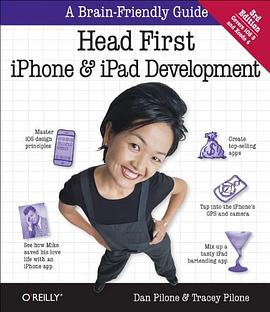
Let's say you have a killer app idea for iPhone and iPad. Where do you begin? Head First iPhone and iPad Development will help you get your first application up and running in no time. You'll not only learn how to design for Apple's devices, you'll also master the iPhone SDK tools -- including Xcode -- and Objective-C programming principles to make your app stand out. Whether you're a seasoned Mac developer who wants to jump into the App store, or someone with strong object-oriented programming skills but no Mac experience, this book is a complete learning experience for creating eye-catching, top-selling iPhone and iPad applications. * Install the iPhone OS SDK and get started using XCode * Put Objective-C core concepts to work, including message passing, protocols, properties, and memory management * Take advantage of iPhone OS patterns such as datasources and delegates * Preview your applications in the Simulator * Build more complicated interactions that utilize multiple views, data entry/editing, and rotation * Work with the iPhone's camera, GPS, and accelerometer * Optimize, test, and distribute your application We think your time is too valuable to waste struggling with new concepts. Using the latest research in cognitive science and learning theory to craft a multi-sensory learning experience, Head First iPhone and iPad Development has a visually rich format designed for the way your brain works, not a text-heavy approach that puts you to sleep.
作者简介
Dan Pilone
Dan Pilone is a Senior Software Architect with Blueprint Technologies, Inc. He has designed and implemented systems for Hughes, ARINC, UPS, and the Naval Research Laboratory. He also teaches project management and software design and engineering at The Catholic University in Washington D.C. Dan is the author of several books on software development, including UML 2.0 in a Nutshell and UML 2.0 Pocket Reference (O'Reilly).
Tracey Pilone
Tracey Pilone, a licensed Civil Engineer, is a freelance technical writer who has worked on mission planning and RF analysis software for the Navy. She has a Civil Engineering degree from Virgina Tech and a Masters of Education from the University of Virginia.
目录信息
So you want to build an iOS app...
Welcome to the Apple universe!
iOS apps are written in Objective-C
It all starts with the SDK
Pin Xcode...you’re going to be here a lot
Meet Sue, your new boss
Xcode and Git...new best friends
Xcode is the hub of your iOS project
The iOS simulator
Your code is stored in source files
Code Editor, Hub...and debugging, too
One iPhone, two iPhones, red iPhone, blue iPhone...
Your iPhone Development toolbox
Chapter 2 Basic iOS Patterns: Building from scratch
iOS apps run full screen, but there’s a lot going on
Model-View-Controller is a design pattern
Get started with Xcode and Git
Design time!
Design time...redux
Cosmetic changes are easy in Xcode
You could code this if you’re into that kind of thing...
iOS controls are more than skin deep
You’ll create the action using the Xcode GUI editor
Connect your controls to your actions
So how do we get to that text?
Properties handle creating getters and setters
Create a property for that text field
You connect your controls to outlets
Twitter, the easy way...
Your iOS Basics toolbox
Chapter 3 Interlude: Syntax
Classes: Interface and Implementation
Header files describe the interface to your class
Properties are about efficiency
Message passing: How Objective-C gets around
Speaking of messages....
Your Syntax toolbox
Chapter 4 Tables, Views, and Data: A table with a view
Congratulations!
SpinCity browsing app overview
The way iOS apps work
Using the touch screen....
Hierarchical data—get out your table view
We need to hook these views together...
Three views in one template
Use MVC to separate your concerns...
Adding a new class
Properties expose class attributes
Data Access Objects hide low-level data access
You’ve built your DAO!
A table is a collection of cells
Your View toolbox
Chapter 5 Multiview Applications: It’s all about the details
An app with a view...
Table views don’t always look like...tables
Change your UIViewController to a UITableView Controller
Layout for the new detail view
Layout your view within the storyboard
Design the rest of the view dynamically
Segues connect view controllers
Connect your scenes in your storyboard
Segues let you prepare for a new scene
Update your prepareforSegue callback
There’s an app a list for that
Create a new property list
You need to load each album from the plist
Convert your data to plists in one easy step
Your View toolbox
Chapter 6 The Review Process, Design, and Devices: How to live with Apple
It’s Apple’s world...you’re just living in it
Device checking... it’s not optional
Device checking case study: the camera
iOS handles the heavy lifting
Hmmm... supported device, missing feature
The HIG helps, rather than hurting you
You’ve already gotten used to the HIG...
Design = look + feel
iOS 7 Top 5
More to think about: your iPad is not your iPhone
Your Apple toolbox
Chapter 7 Basic Core Data and Table View Cells: Reruns are hard to find
This is your application
This is your application on data
Introducing Core Data
...and speaking of data
The Gilligizer app
Core Data starts with...data
Core Data works with entities
Core Data describes entities with a Managed Object Model
Build your Show entity
Our generated Show class matches our Managed Object Model
NSManagedObject also implements the properties
You have an object...now present it.
Present each entity in Gilligizer
Your Core Data toolbox
Chapter 8 Implementing search with core data: Looking for info
The app is working, but it’s limited...
Use an NSFetchRequest to describe your search
Let’s give it a shot...
iOS 7 has Core Data and UIKit support for searching
SearchDisplayController handles just about everything
Use predicates for filtering data
The NSFetchRequest predicate controls what data is returned
It was a trick question...
Your searching toolbox
Chapter 9 Core data, mapkit, and core location: Finding a phone booth
Everything old is cool new again
An app, an iPad, and a phone booth
iOS apps are read-only (well, kind of...)
An iOS application structure defines where you can read and write data
Enter... UIImagePicker
Prompt the user with action sheets
Where Who... are you? Where Who, who?
Core Location can find you in a few ways
Map Kit comes with every iOS device
Annotations require a little more work finesse
Fully implement the annotation protocol
Your kit Toolbox
· · · · · · (收起)
读后感
我是一名多年没碰代码的web guy了,最近入手MBP,为的就是学会做APP尝试把自己有想法的项目做出来。 几乎从零开始的新人在翻过很多本IOS相关的经典书之后发现,只有《深入浅出iPhone开发》这书是最适合我开始学习的。当然这是本英文版的影印书,英文不好的朋友就请找中文版来...
我是一名多年没碰代码的web guy了,最近入手MBP,为的就是学会做APP尝试把自己有想法的项目做出来。 几乎从零开始的新人在翻过很多本IOS相关的经典书之后发现,只有《深入浅出iPhone开发》这书是最适合我开始学习的。当然这是本英文版的影印书,英文不好的朋友就请找中文版来...
我是一名多年没碰代码的web guy了,最近入手MBP,为的就是学会做APP尝试把自己有想法的项目做出来。 几乎从零开始的新人在翻过很多本IOS相关的经典书之后发现,只有《深入浅出iPhone开发》这书是最适合我开始学习的。当然这是本英文版的影印书,英文不好的朋友就请找中文版来...
我是一名多年没碰代码的web guy了,最近入手MBP,为的就是学会做APP尝试把自己有想法的项目做出来。 几乎从零开始的新人在翻过很多本IOS相关的经典书之后发现,只有《深入浅出iPhone开发》这书是最适合我开始学习的。当然这是本英文版的影印书,英文不好的朋友就请找中文版来...
我是一名多年没碰代码的web guy了,最近入手MBP,为的就是学会做APP尝试把自己有想法的项目做出来。 几乎从零开始的新人在翻过很多本IOS相关的经典书之后发现,只有《深入浅出iPhone开发》这书是最适合我开始学习的。当然这是本英文版的影印书,英文不好的朋友就请找中文版来...
用户评价
说实话,我刚翻开这本书的时候,内心是有些忐忑的,毕竟市面上的技术书籍汗牛充栋,很多都夸大其词,结果内容陈旧或者过于理论化。然而,这本书给我的惊喜程度超乎想象。它极其注重实战,每一个新的概念提出后,紧接着就会有一个可以直接在模拟器中运行的小项目来巩固学习效果。这种“即学即用”的模式极大地提高了我的学习效率和成就感。我尤其欣赏它在设计模式和内存管理方面的讲解方式。它没有直接抛出那些复杂的图表,而是通过模拟现实生活中的资源分配问题,让你体会到ARC(自动引用计数)的精妙之处,以及在不同情境下应该如何选择合适的编程范式。它的代码示例简洁、清晰,而且总是遵循最新的最佳实践,这对于我们这些刚刚起步的开发者来说至关重要,可以避免养成坏习惯。对于那些追求效率和实用价值的读者来说,这本书的价值远超其定价,它提供的不是一堆零散的知识点,而是一个完整且可靠的知识体系框架。
这本教材给我的最大感受是——“赋能”。它没有高高在上地宣讲理论,而是实实在在地把“造物主”的工具交到了我的手中。在学习过程中,作者们似乎非常在意读者的学习疲劳度,每隔一段时间就会插入一些轻松的小测验或者互动环节来帮助我们消化信息。我个人特别喜欢它处理异步编程和并发任务的那几章。在这个领域,很多人都会感到头疼,但这本书通过生动的场景模拟,把线程安全、锁机制这些复杂的概念讲得井井有条,逻辑清晰得仿佛在看一部动画短片。它不仅教会了我们如何编写出功能强大的应用,更重要的是,它培养了一种积极探索未知领域的勇气。读完这本书,我不再害怕面对新的框架更新或系统升级,因为我知道自己已经掌握了最核心的思维方式和解决问题的基本工具集,这种自信心的提升是任何技术细节本身都无法比拟的。
坦白地说,我曾经尝试过几本被誉为“圣经”级别的开发书籍,但那些书往往假定读者已经具备了深厚的计算机科学背景,阅读起来常常需要频繁地查阅其他资料来补充基础知识,学习曲线非常陡峭。而这本“Head First”系列的出品,明显更聚焦于“如何快速、有效地入门并产出成果”。它的内容组织逻辑非常人性化,先从最基础的界面搭建和事件处理入手,然后逐步引入更复杂的特性,比如数据持久化和网络通信。最让我感到欣慰的是,它在讲解Objective-C(或Swift,取决于版本)的特性时,总能用一种非常平易近人的方式来解释其背后的面向对象思想,避免了过度使用行话。对于希望在最短时间内建立起一个可以展示给别人的Demo项目的学习者来说,这本书的路径规划是最为合理的。它就像是一张精确绘制的地图,清晰地标示了最短的捷径,同时又确保你不会错过沿途重要的风景。
这本书的叙事风格简直是独树一帜,仿佛作者在用一种极具个人魅力的口吻与读者对话,充满了幽默感和恰到好处的自嘲。阅读体验上,它更像是一本精心制作的互动杂志,而不是严肃的技术手册。我发现自己不再是被动地接受信息,而是在积极地参与到知识的构建过程中。书中的“陷阱”和“误区”环节设计得非常巧妙,它预判了初学者可能会在哪里绊倒,提前设置好“路障”并给出清晰的避开方法,这种前瞻性的指导非常宝贵。它对用户界面(UI)和用户体验(UX)的强调也是贯穿始终的。它不仅仅告诉你如何调用API来绘制一个按钮,还会深入探讨这个按钮在用户心智模型中的位置和作用,这使得我从一开始就养成了以用户为中心的开发习惯。这种综合性的视角,让我的目光不再局限于代码的实现层面,而是提升到了产品设计的维度,这对于我未来的职业发展无疑是巨大的加分项。
这本书简直是为我这种对移动开发一窍不通的新手量身定做的“保姆级”教程!我以前总觉得iOS开发那些晦涩难懂的术语和复杂的代码结构像一座无法逾越的大山,看那些官方文档简直是在啃天书。但是,这本“Head First”系列的读物,完全颠覆了我的认知。它不是那种枯燥乏味的教科书,更像是一个经验丰富的、超级耐心的导师,手把手地带着你进入这个充满创造力的世界。书里的插图和排版设计简直是鬼斧神工,色彩鲜明,信息密度经过了精妙的计算,既保证了知识的深度,又用各种有趣的漫画、对话框和比喻,将那些抽象的概念具象化了。我记得最清楚的是它讲解委托模式(Delegation)的那一章,通过一个餐厅服务生和顾客之间的互动来比喻,瞬间茅塞顿开,那种豁然开朗的感觉,是看其他任何资料都无法给予的。它不只是教你“怎么做”,更重要的是让你理解“为什么这么做”,培养你作为一名工程师的逻辑思维。如果你和我一样,对编程抱有敬畏但又渴望入门,这本书绝对是你最值得信赖的伙伴,它能让你在轻松愉快的氛围中,不知不觉间掌握核心技能。
介绍了storyboard的用法,这个是一直比较好奇的东西,不过看过后还是需要再详细看Applep官方的Help. 可以当storyboard的入门书。 顺便读了SpriteKit Programming Guide.
The latest iOS 7, what are you waiting for?
Big Nerd的要更加系统化~可以搭配着一起看~
The latest iOS 7, what are you waiting for?
介绍了storyboard的用法,这个是一直比较好奇的东西,不过看过后还是需要再详细看Applep官方的Help. 可以当storyboard的入门书。 顺便读了SpriteKit Programming Guide.