
具体描述
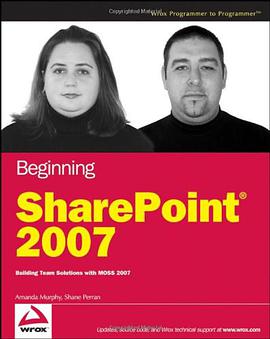
Microsoft Office SharePoint Server 2007 has improved and changed dramatically over previous versions of the product. The capabilities of the platform have expanded greatly with the inclusion of an automated workflow engine, web content management capabilities, and a vast number of document management enhancements. However, the value of this tool to an enterprise will depend primarily on the ability of individuals in the organization to understand the features and capabilities of the platform and effectively map those to specific business requirements. This book is designed to mentor and coach business and technical leaders in an organization on the use of SharePoint to address critical information management problems. It gives detailed descriptions and illustrations of the product's functionality and also includes realistic usage scenarios to provide contextual relevance and a personalized learning experience to the reader. The mission of this book is to provide extensive knowledge to information workers and site managers that will empower them to become SharePoint Application champions in the organization. This book should be the premiere handbook of any active or aspiring SharePoint expert. To complete the exercises in this book, you should have a basic comfort level using Microsoft Office application to create content and a general understanding of how to interact with a web site through the browser. This book is intended as a starting point for any SharePoint 2007 user whether that user has never used SharePoint before or has some familiarity with a previous version and just wants to understand the differences with the new release. Chapter 1: Getting Started with SharePoint Server: The first chapter of the book is targeted at users who have either never used SharePoint before or are already familiar with SharePoint Portal Server 2003 or Windows SharePoint Service v2 and are looking to gain an understanding of what has changed in SharePoint 2007. This chapter lays out the foundation for important terminology and concepts explored in the following chapters of the book. Chapter 2: Working with SharePoint Lists: This chapter introduces one of the core mechanisms for sharing and organizing content in a SharePoint site. You will review what lists are, how they are used, and then explore the various templates that exist in SharePoint. Chapter 3: Working with SharePoint Libraries: After reviewing some of the fundamental concepts relating to lists, the chapter introduces the other major storage mechanism in SharePoint known as libraries. This chapter discusses some of the various templates that exist for libraries as well as brand-new concepts in 2007, such as slide libraries and wiki page libraries. Chapter 4: Managing and Customizing Lists and Libraries: SharePoint templates for lists and libraries provide a great starting point for collaboration and information sharing. This chapter introduces how you can extend these base templates to address an organization’s specific requirements for a collaborative site or information management tool. Chapter 5: Working with Workflow: Workflow is a new feature available in SharePoint Server 2007. This chapter discusses the templates that SharePoint provides for workflow, as well as demonstrates how to create a custom workflow solution using the SharePoint Designer. Chapter 6: Working with Content Types: Most organizations have information and documents, which often utilize consistent templates, processes and policies each time they are created. Therefore, SharePoint 2007 has introduced the concept of a Content Type to allow an organization to package templates and information to ensure that reusable components are rolled out in the organization to enforce consistency and ease of use. This chapter demonstrates what content types are and explores how they can be used through some hands-on examples. Chapter 7: Working with Web Parts: Web Parts are an important element in SharePoint because they display information in sites to users. A variety of Web Parts exist in SharePoint 2007 to address the many ways that teams want to present information. This chapter explores the various groups of Web Parts in SharePoint, including examples on how specific types of Web Parts can be configured and used to present information in a desired manner. Chapter 8: Working with Sites and Workspaces: The fundamental components of any SharePoint environment are the sites and workspaces that it contains. These collaborative work areas contain all the components discussed in previous sections and represent how each of those items come together to provide an effective environment for collaboration, communication, and document management. In this section of the book, topics such as site templates, features, and look and feel are covered. Chapter 9: User Management, Audiences, and Profiles: Effective management of users is of ultimate importance to any information system. The two primary tiers of effective user management include securing content and personalizing information on the portal. This chapter explains in simple terms how to effectively secure a SharePoint environment at the site level, the list or library level, and down to the unique content items stored on a SharePoint site. In addition, an introduction to personalization is presented to ensure that readers understand how to effectively target information to users in a portal. Chapter 10: Working with Forms Services: InfoPath is the ideal companion to SharePoint for many business solutions. This chapter introduces readers to creating simple business applications using InfoPath and SharePoint including new features in 2007, such as template parts and browser based forms. Chapter 11: Working with Excel Services: SharePoint addresses the need that many organizations face for better visibility and accessibility to data that is often stored in Excel spreadsheets or external business applications. This chapter demonstrates how to improve the overall decision making of an organization by providing access to important information by utilizing browser based worksheets, visual indicators of performance information, and building personalized interactive dashboards. Chapter 12: Working with the Business Data Catalog: The Business Data Catalog is completely new to SharePoint in 2007 and offers a fantastic way to access information stored in other business applications through the SharePoint portal interface and elements. This chapter introduces the concept of the Business Data Catalog, explaining each of the key roles in detail and then focusing on usage scenarios from the perspective of the business analyst and end-user roles. Chapter 13: Getting Started with Web Content Management: All the functionality previously available in Content Management Server 2002 has been incorporated into the SharePoint platform for 2007. This convergence of technology allows for the creation, review, and publishing of web content from a single environment. This chapter provides an overview of the web content management capabilities of the system including the use of publishing sites and features, the automatic provisioning of multilingual content through variations, and user-interface customization. Chapter 14: Working with Search: An information system is useful to an organization only if stakeholders can easily access and locate the information it contains. This chapter discusses the search engine capabilities of the SharePoint platform including methods that improve the search experience through the use of custom search scopes, content sources, and best bets.