
具体描述
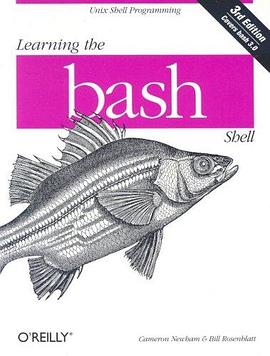
This refreshed edition serves as the most valuable guide yet to the bash shell. It's full of practical examples of shell commands and programs guaranteed to make everyday use of Linux that much easier. Includes information on key bindings, command line editing and processing, integrated programming features, signal handling, and much more!
O'Reilly's bestselling book on Linux's bash shell is at it again. Now that Linux is an established player both as a server and on the desktop Learning the bash Shell has been updated and refreshed to account for all the latest changes. Indeed, this third edition serves as the most valuable guide yet to the bash shell. As any good programmer knows, the first thing users of the Linux operating system come face to face with is the shell the UNIX term for a user interface to the system. In other words, it's what lets you communicate with the computer via the keyboard and display. Mastering the bash shell might sound fairly simple but it isn't. In truth, there are many complexities that need careful explanation, which is just what Learning the bash Shell provides. If you are new to shell programming, the book provides an excellent introduction, covering everything from the most basic to the most advanced features. And if you've been writing shell scripts for years, it offers a great way to find out what the new shell offers. Learning the bash Shell is also full of practical examples of shell commands and programs that will make everyday use of Linux that much easier. With this book, programmers will learn:
* How to install bash as your login shell
* The basics of interactive shell use, including UNIX file and directory structures, standard I/O, and background jobs
* Command line editing, history substitution, and key bindings
* How to customize your shell environment without programming
* The nuts and bolts of basic shell programming, flow control structures, command-line options and typed variables
* Process handling, from job control to processes, coroutines and subshells
* Debugging techniques, such as trace and verbose modes
* Techniques for implementing system-wide shell customization and features related to system security
作者简介
目录信息
Preface
bash Versions
Summary of bash Features
Intended Audience
Code Examples
Chapter Summary
Conventions Used in This Handbook
We'd Like to Hear from You
Using Code Examples
Safari Enabled
Acknowledgments for the First Edition
Acknowledgments for the Second Edition
Acknowledgments for the Third Edition
Chapter 1. bash Basics
Section 1.1. What Is a Shell?
Section 1.2. Scope of This Book
Section 1.3. History of UNIX Shells
Section 1.4. Getting bash
Section 1.5. Interactive Shell Use
Section 1.6. Files
Section 1.7. Input and Output
Section 1.8. Background Jobs
Section 1.9. Special Characters and Quoting
Section 1.10. Help
Chapter 2. Command-Line Editing
Section 2.1. Enabling Command-Line Editing
Section 2.2. The History List
Section 2.3. emacs Editing Mode
Section 2.4. vi Editing Mode
Section 2.5. The fc Command
Section 2.6. History Expansion
Section 2.7. readline
Section 2.8. Keyboard Habits
Chapter 3. Customizing Your Environment
Section 3.1. The .bash_profile, .bash_logout, and .bashrc Files
Section 3.2. Aliases
Section 3.3. Options
Section 3.4. Shell Variables
Section 3.5. Customization and Subprocesses
Section 3.6. Customization Hints
Chapter 4. Basic Shell Programming
Section 4.1. Shell Scripts and Functions
Section 4.2. Shell Variables
Section 4.3. String Operators
Section 4.4. Command Substitution
Section 4.5. Advanced Examples: pushd and popd
Chapter 5. Flow Control
Section 5.1. if/else
Section 5.2. for
Section 5.3. case
Section 5.4. select
Section 5.5. while and until
Chapter 6. Command-Line Options and Typed Variables
Section 6.1. Command-Line Options
Section 6.2. Typed Variables
Section 6.3. Integer Variables and Arithmetic
Section 6.4. Arrays
Chapter 7. Input/Output and Command-Line Processing
Section 7.1. I/O Redirectors
Section 7.2. String I/O
Section 7.3. Command-Line Processing
Chapter 8. Process Handling
Section 8.1. Process IDs and Job Numbers
Section 8.2. Job Control
Section 8.3. Signals
Section 8.4. trap
Section 8.5. Coroutines
Section 8.6. Subshells
Section 8.7. Process Substitution
Chapter 9. Debugging Shell Programs
Section 9.1. Basic Debugging Aids
Section 9.2. A bash Debugger
Chapter 10. bash Administration
Section 10.1. Installing bash as the Standard Shell
Section 10.2. Environment Customization
Section 10.3. System Security Features
Chapter 11. Shell Scripting
Section 11.1. What's That Do?
Section 11.2. Starting Up
Section 11.3. Potential Problems
Section 11.4. Don't Use bash
Chapter 12. bash for Your System
Section 12.1. Obtaining bash
Section 12.2. Unpacking the Archive
Section 12.3. What's in the Archive
Section 12.4. Who Do I Turn to?
Appendix A. Related Shells
Section A.1. The Bourne Shell
Section A.2. The IEEE 1003.2 POSIX Shell Standard
Section A.3. The Korn Shell
Section A.4. pdksh
Section A.5. zsh
Section A.6. Shell Clones and Unix-like Platforms
Appendix B. Reference Lists
Section B.1. Invocation
Section B.2. Prompt String Customizations
Section B.3. Built-In Commands and Reserved Words
Section B.4. Built-In Shell Variables
Section B.5. Test Operators
Section B.6. set Options
Section B.7. shopt Options
Section B.8. I/O Redirection
Section B.9. emacs Mode Commands
Section B.10. vi Control Mode Commands
Appendix C. Loadable Built-Ins
Appendix D. Programmable Completion
Colophon
Index
· · · · · · (收起)
读后感
确实是Learning系列的书,所以非常的浅显易懂。 适合没有什么Shell实用经验的人。 可以很快对Bash有一个整体的概念,并且能够做一些简单的工作。 看完了书,还需要很多的实际解决问题的经验才行。
确实是Learning系列的书,所以非常的浅显易懂。 适合没有什么Shell实用经验的人。 可以很快对Bash有一个整体的概念,并且能够做一些简单的工作。 看完了书,还需要很多的实际解决问题的经验才行。
行文很生硬,很多地方甚至连基本的文法句法都不通——可以通过提取主干主谓宾来验证。 如果不是同时在看另外一本讲Shell的书,仅仅是通过这本来了解Shell的话,我很可能就悲剧了,这本书糟糕的翻译会让我我误以为Shell本身是一门艰深的技术,从而一直止步于门外。这也是所有同...
应该说,bash这类shell脚本的学习书籍,涉及的内容会比较杂,很高兴作者把这些杂乱的内容有序的组织到这本书里。 应该说,这本书读起来应该不会很吃力,因为对bash的介绍很多也就是对linux操作系统,特别是和shell相关部分的介绍,而且很多人对linux/unix的最直观和直接的操...
这不是我想要的Shell入门,因为它没有让我感受到一丝Shell的魅力,通篇只有细节,而且讲述不清(比如对getopts里OPTARG(在bash 3.2里好像是OPTSTRING)的讲解,让我一度很困惑,这个序列存的参数到底是以词为单位呢,还是字符),缺乏比较(比如文中似乎没有关于$(()), $[], [],...
用户评价
最近迷上了各种技术相关的书籍,看到这本书的时候,我的第一反应是“终于有一本关于 Bash 的书了!”。市面上关于编程语言的书很多,但专注于 Shell 脚本的书籍相对来说比较少,而且很多讲得比较碎片化。我一直认为 Bash 是 Linux 系统中最基础也是最核心的一部分,如果能够熟练掌握它,能够极大地提高我在 Linux 环境下的工作效率。我希望这本书能够提供一些实用的案例,让我能够直接上手练习,而不是停留在理论层面。我对这本书的期待是它能够教会我如何编写出优雅、高效的 Bash 脚本,能够自动化处理重复性的任务,解放我的双手。我希望它能涵盖从基本的命令使用,到变量、条件语句、循环、函数等脚本编程的核心概念,并且最好能有一些关于错误处理和调试的技巧,这对于我来说非常重要。
这本书的封面设计我挺喜欢的,简洁大气,一看就很有学习的氛围。我之前接触过一些命令行操作,但总觉得不够系统,每次遇到问题都像是在大海捞针。看到这本书的名字,就感觉它能帮我填补这方面的知识空白,把零散的知识点串联起来。我一直觉得掌握一个强大的工具,比如 Bash,对于提升工作效率,甚至解决一些棘手的问题都非常有帮助。这本书的标题“Learning the Bash Shell”非常直接,点明了核心内容,让我对学习 Bash 的决心又加深了一层。我期待它能提供一个清晰的学习路径,从最基础的命令讲起,逐步深入到脚本编写、自动化任务等更高级的技巧。我希望这本书不仅仅是罗列命令,更能解释命令背后的逻辑和原理,让我知其然也知其所以然。我对它寄予厚望,希望它能成为我探索 Linux 世界的得力助手。
在 IT 行业摸爬滚打这么多年,我深知一个好的工具对于提升工作效率的重要性。而 Bash,作为 Linux 系统中最基础的命令行解释器,其重要性不言而喻。我一直在寻找一本能够系统、深入地讲解 Bash 的书籍,而《Learning the Bash Shell》这个名字恰好击中了我的需求。我希望这本书不仅仅是枯燥的命令罗列,而是能够通过生动有趣的讲解和丰富的实例,让我真正理解 Bash 的魅力。我期待它能够帮助我掌握编写各种实用脚本的能力,从而能够自动化处理日常繁琐的工作,将更多的时间和精力投入到更具创造性的任务上。我希望能从这本书中学习到如何编写可维护、可扩展、易于调试的 Bash 脚本,并希望它能提供一些关于 Bash 最佳实践的建议,帮助我成为一名更优秀的 Linux 用户。
我是一个对命令行充满了好奇心的人,但总是感觉自己在 Bash 的海洋里迷失了方向。这本书的名字《Learning the Bash Shell》就像一盏指路明灯,让我看到了希望。我希望能通过这本书,真正理解 Bash 的强大之处,不仅仅是知道一些简单的命令,更希望能学会如何利用 Bash 来解决实际问题,比如自动化部署、日志分析、系统管理等等。我非常期待书中能够提供一些深入的讲解,让我理解 Bash 的工作原理,而不是简单地记忆命令。我希望它能够循序渐进,从易到难,让我能够逐步建立起信心。我尤其希望这本书能包含一些关于 Bash 脚本的安全性和性能优化的内容,这对于任何一个负责任的系统管理员或者开发者来说都至关重要。
我一直觉得,掌握好一门技术,最关键的是理解它的核心和精髓。《Learning the Bash Shell》这本书的标题直观而明确,让我对它寄予了厚望。我希望这本书不仅仅是教我如何使用 Bash 命令,更能让我理解 Bash 的运行机制,以及如何通过 Bash 来实现更强大的功能。我尤其期待书中能够包含一些关于 Shell 脚本的进阶技巧,比如如何处理复杂的文本、如何进行系统监控、如何与其他工具协同工作等。我希望这本书能够帮助我突破目前的瓶颈,将 Bash 的应用提升到一个新的水平,成为我解决工作中难题的有力武器。我希望这本书能够提供一些实际的练习题和项目,让我能够将所学知识融会贯通,真正做到学以致用。
适合初学者。有一定知识想进阶的还是看别的吧
一般...
为了写一个小function而看了这本书的前8章。 感觉写得不错,基本一边看一边写最后也写出来了。看完以后再看别人写的天书一般的script终于能稍微理解一点了。不过我觉得shell script不用深究,只要能看懂大致即可。真需要用到的时候去网上找找就行。
上课用过的教材 觉得shell这个东西还挺有用的吧。。。大量用正则表达式什么的还是很适合批处理
一般,不推荐非cs背景的人。我觉得这个专门讲bash的书,不太适合那些应用bash shell去解决问题的人。比如说我,在实际应用背景下,python可以帮助应付解决很多问题,而且代码真的比shell美很多。当然,我也几乎每天都还在使用bash shell,因为它有些命令很简单,例如提交job时写个loop,当然这些也都可以利用python来完成。我觉得我仍然在使用它的原因在于我很多根深蒂固的肌肉记忆都是基于bash的命令以及相关的工具比如sed and awk。